Connect models and assign trust tiers
A destination is an AI model ThreatLens can route requests to. Each destination is assigned a trust tier, which the policy matrix then enforces per data class.
Before you begin
- Have the credentials for any provider you want to connect (an API key, or your cloud model endpoint details).
- Decide the trust tier each destination should carry.
Bring your own model
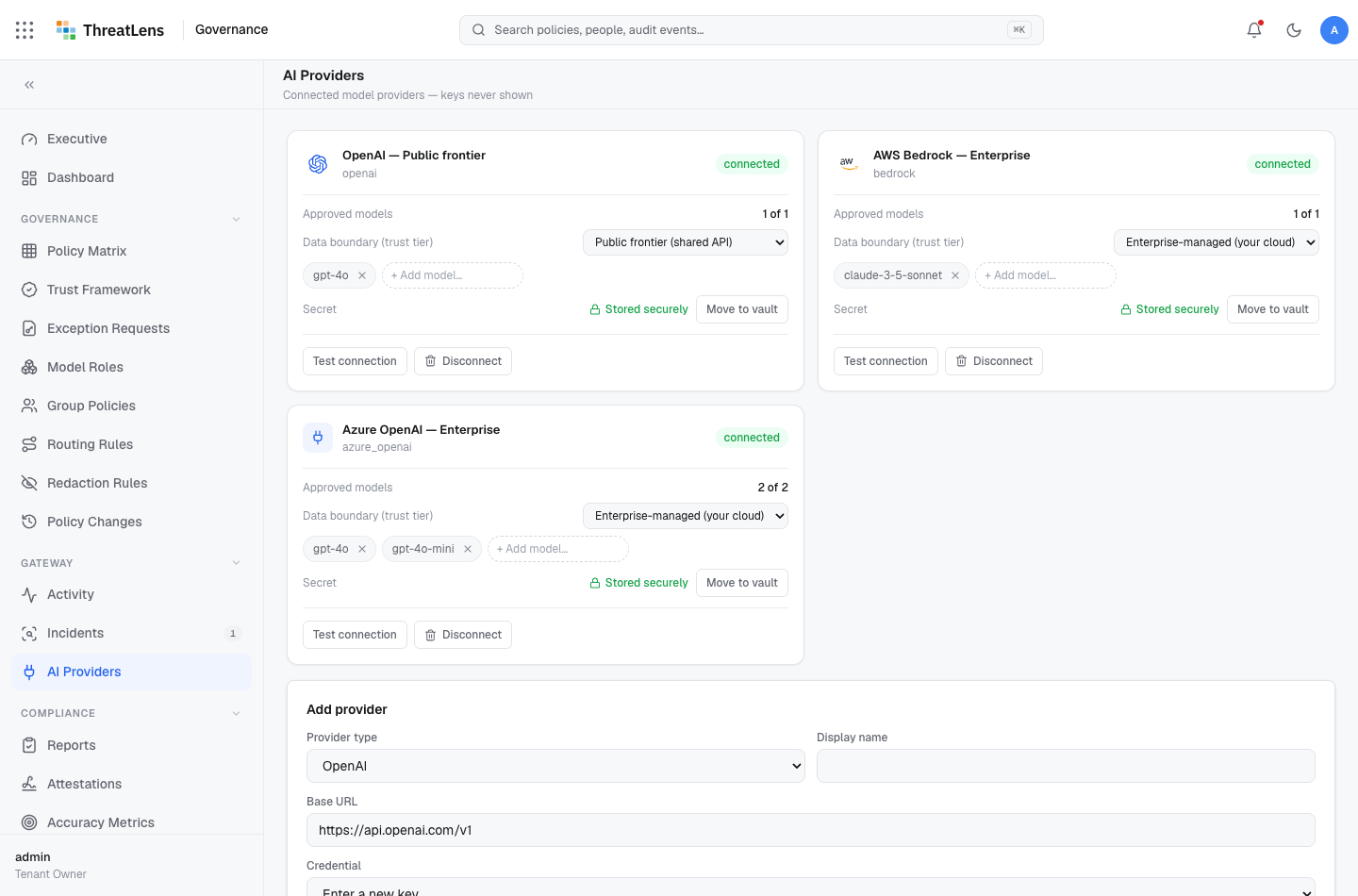
Your own Azure OpenAI or AWS Bedrock deployment connects as an enterprise-managed destination — a first-class, trusted tier. Most organizations make this their primary destination.
Add a destination
- Go to Governance → Destinations (provider connections).
- Click Add destination and choose the provider type.
- Enter the connection details. Credentials are stored in the secrets vault — they're never shown again in full.
- Test the connection to confirm it works.
Assign a trust tier
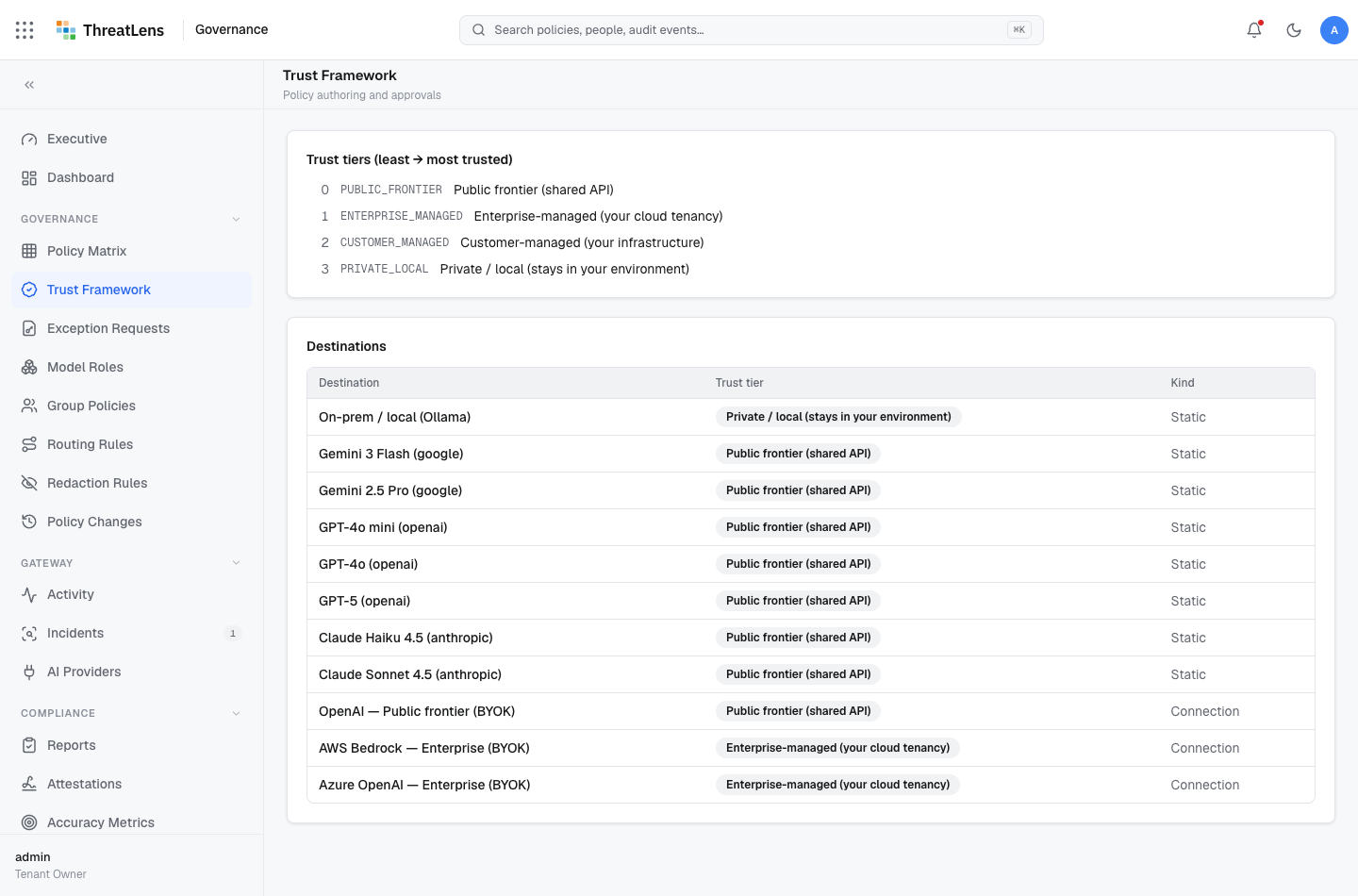
For each connected destination, set its trust tier:
| Tier | Use it for |
|---|---|
| Public frontier | A shared public model outside your control |
| Enterprise-managed | Your own cloud tenancy (Azure OpenAI / Bedrock, BYOK) |
| Customer-managed | A model your organization operates directly |
| Private / local | A fully isolated model |
The tier you assign is what the policy matrix compares against. For example, if Financial data requires Enterprise-managed, it will route to a destination you've tiered enterprise-managed and be withheld from a public-frontier one.
What gets recorded
Adding, changing, or removing a destination — and changing its trust tier — is written to the audit log.