Monitor and enforce
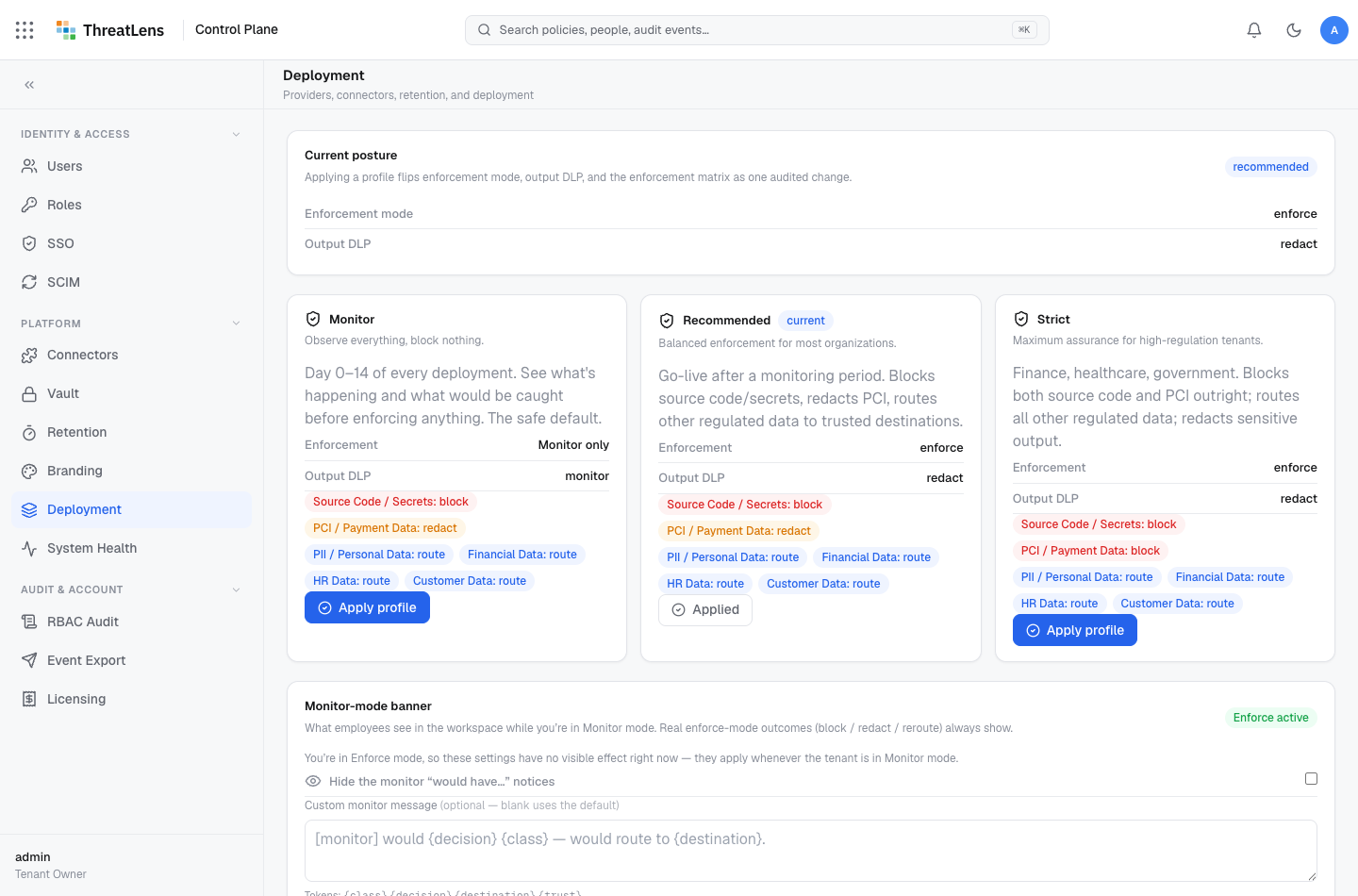
ThreatLens runs in one of two modes. Most organizations start in monitor to understand real usage, then switch to enforce to make policy binding.
The two modes
| Mode | What happens |
|---|---|
| Monitor | Every request is classified and recorded, but nothing is blocked or redacted. Use it to baseline behavior. |
| Enforce | Policy is binding — content is redacted, routed, or blocked according to the policy matrix. |
Monitor still records everything
In monitor mode you get the full audit log — you can see exactly what would have been blocked or redacted before you turn enforcement on.
Recommended rollout
- Start in monitor. Let real traffic flow for a week or two.
- Review the audit log. Look at what's being classified as sensitive, and where it's going.
- Tune the matrix. Adjust policy-matrix rows so enforcement won't surprise anyone.
- Switch to enforce. Now redaction, routing, and blocking are live.
Change the mode
- Go to Governance → Deployment (enforcement settings).
- Select Monitor or Enforce.
- Save.
What gets recorded
The mode change is written to the audit log, so there's a clear record of when enforcement began.