The secrets vault
The secrets vault holds the credentials ThreatLens needs — model-provider keys, connector secrets, and integration credentials. Secrets are stored centrally and never returned to the browser; only the last few characters are ever shown.
Why it exists
Credentials shouldn't live in configuration files, browser sessions, or screenshots. The vault keeps them in one governed place, referenced by the rest of the platform without ever exposing the full value.
Choose a backend
ThreatLens supports more than one storage backend:
- Built-in — encrypted storage managed by ThreatLens.
- Azure Key Vault — keep secrets in your own key vault; ThreatLens references them.
Set the backend in Control Plane → Vault.
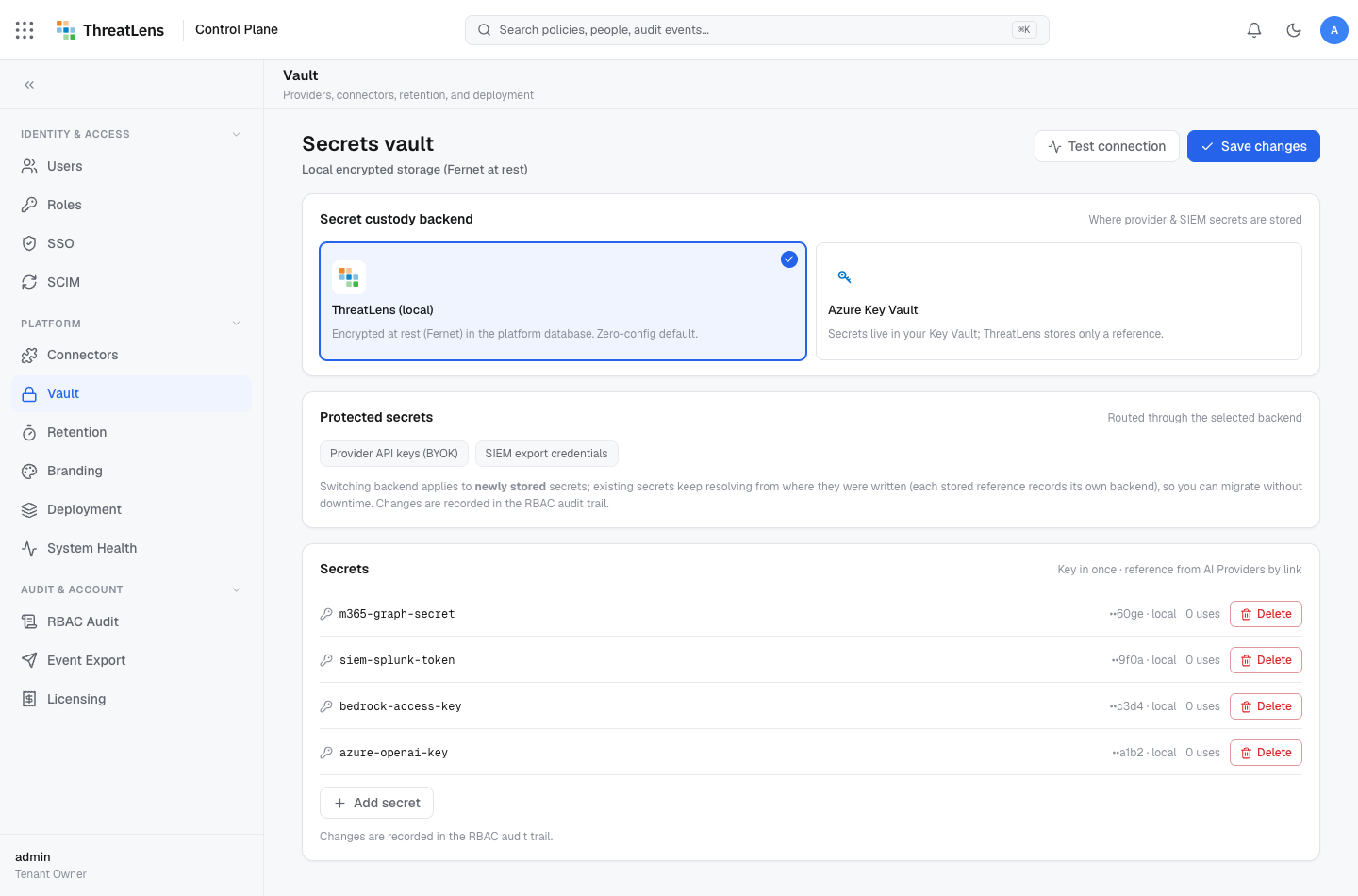
Add a secret
- Go to Control Plane → Vault → Secrets.
- Click Add secret, give it a name, and paste the value.
- Save. From now on, only the last few characters are shown.
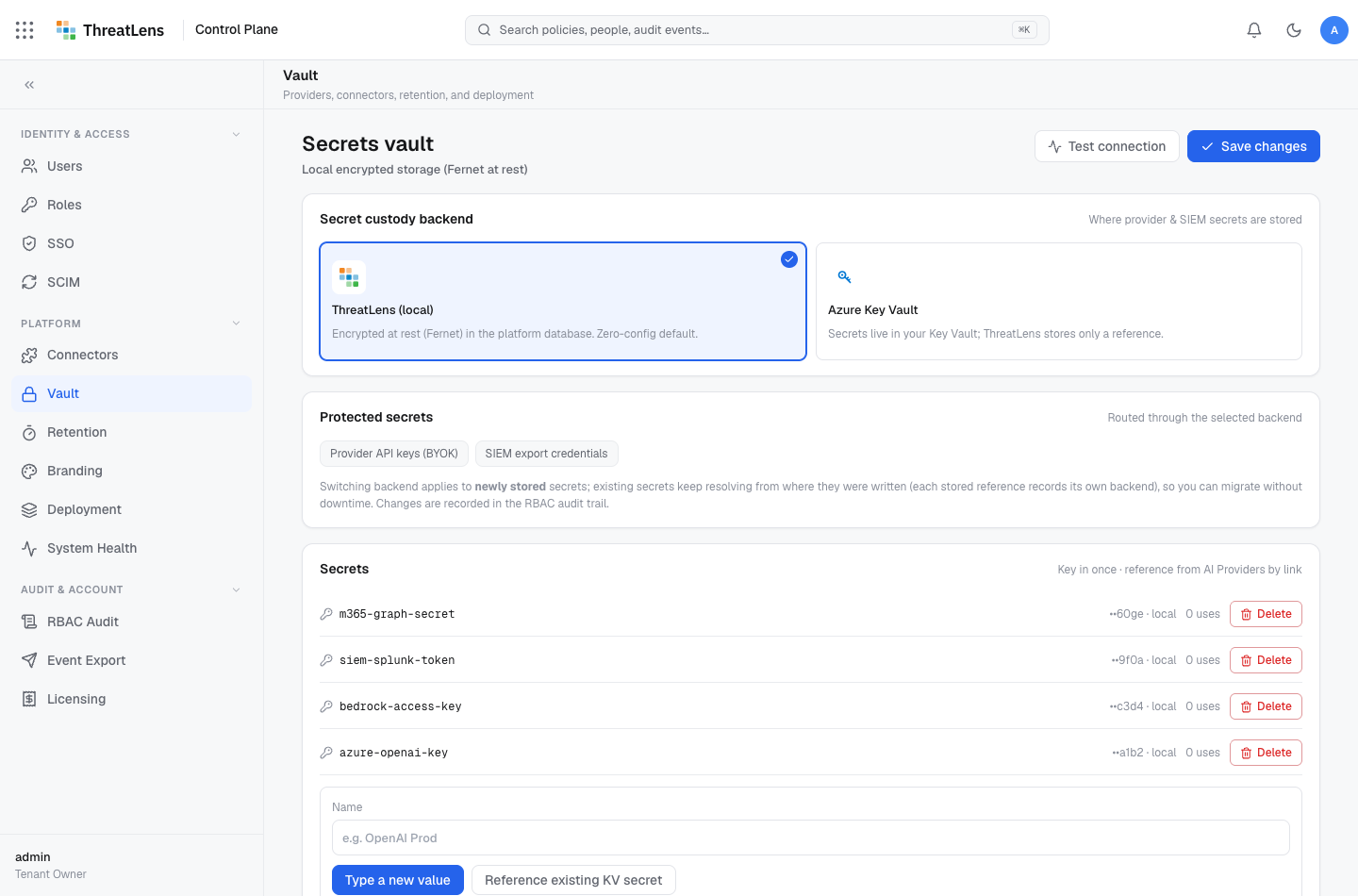
Reference a secret
When you connect a destination or the Microsoft 365 connector, you point it at a stored secret rather than pasting the value inline. Rotating the secret in the vault updates everything that references it.
Because connections reference a secret rather than embed it, you can rotate a credential in the vault and every connection picks up the new value.
What gets recorded
Adding, updating, or removing a secret is written to the audit log. The secret value is never logged.