Single sign-on
Single sign-on (SSO) lets your people sign in to ThreatLens with their existing work identity, and lets you map identity-provider groups to ThreatLens roles.
Supported providers
- SAML 2.0 (any compliant identity provider)
- Microsoft Entra ID
- Google Workspace
Sign-in always works
The sign-in page always offers both username/password and "Continue with SSO." Configuring SSO adds the SSO option; it never removes the standard sign-in.
Configure SSO
- Go to Control Plane → SSO.
- Choose your provider and enter its details. For SAML, you can upload the identity provider's metadata.
- Save.
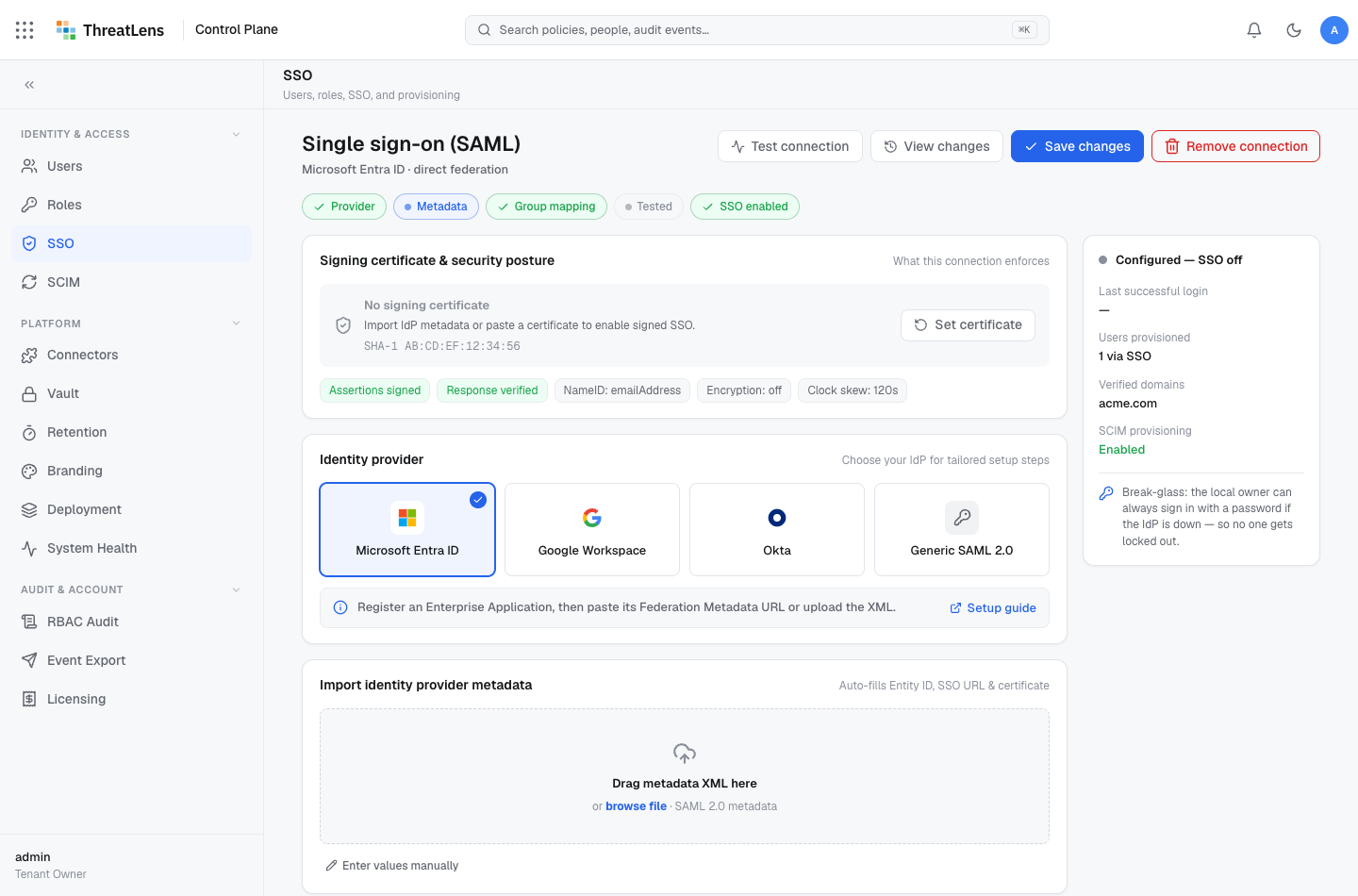
Test the connection
Use Test connection to run a sign-in round-trip with your identity provider before rolling it out to users.
Map groups to roles
Map identity-provider groups to ThreatLens roles so access is granted automatically based on group membership:
- In the SSO page, open Group mappings.
- Add a mapping: identity-provider group → ThreatLens role.
- Save.
Now a user in the mapped group receives the corresponding role on sign-in.
What gets recorded
SSO configuration changes — and group-to-role mapping changes — are written to the audit log, including who changed them.