Work with your documents
You can ground answers in your own documents — files from your Microsoft 365 (OneDrive and SharePoint) — so the AI answers from real content instead of general knowledge.
Attach a file
- In the composer, open the M365 source picker.
- Choose a source — OneDrive or SharePoint.
- Pick a file. It attaches as a chip above the composer.
- Ask your question — for example, "What are the key points in this document?"
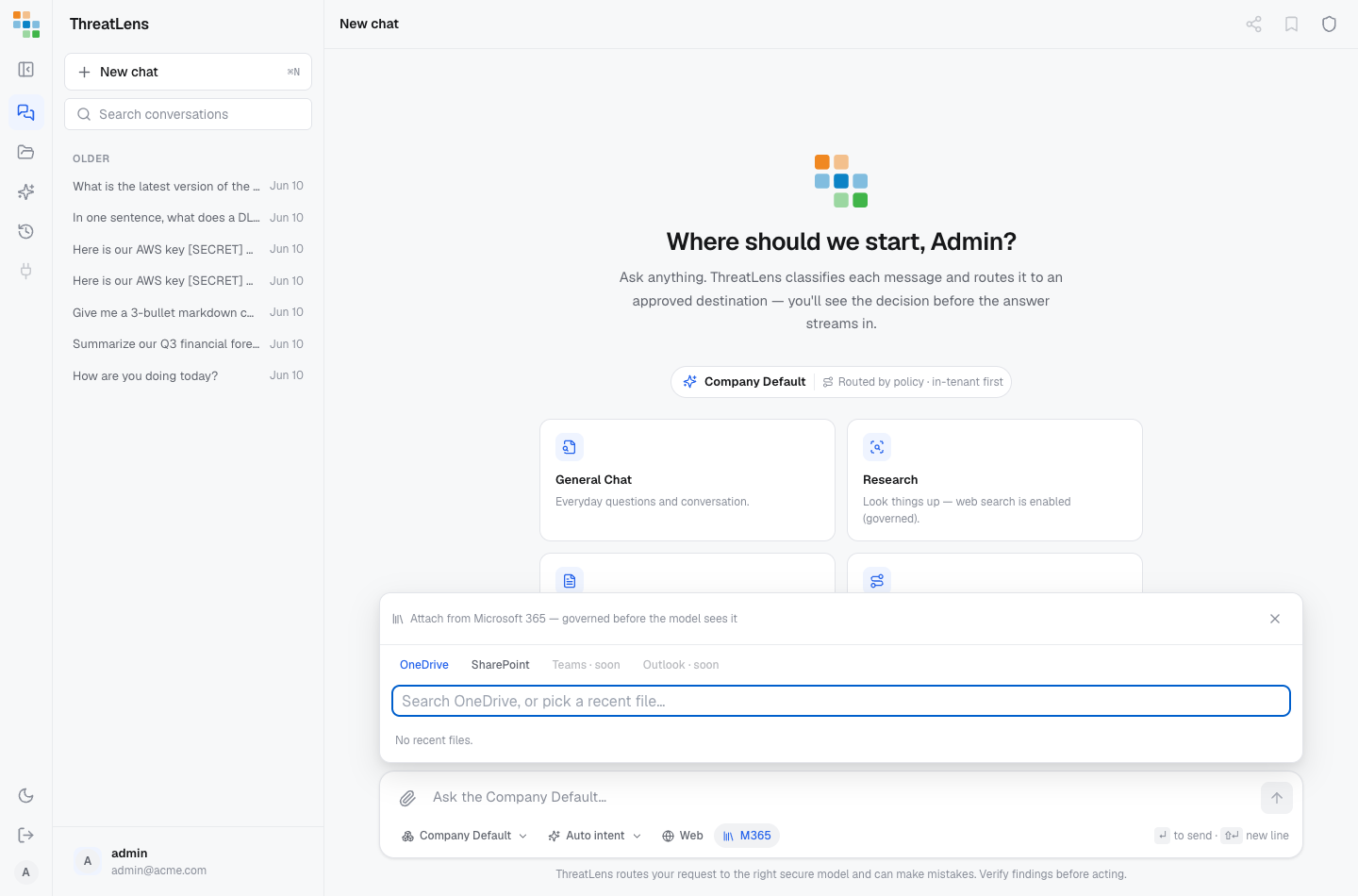
You can attach more than one file. Remove a chip by clicking the × on it.
You only see what you're allowed to
ThreatLens only retrieves documents you personally have permission to access. It mirrors your existing access controls and never widens your reach — if access can't be confirmed, the file is left out. So two people can attach the same file name and get different results, based on what each is allowed to see.
Your documents are governed too
Attached documents go through the same protection as anything you type. Sensitive content is redacted, routed, or withheld according to your organization's policy — see understanding the decision. If a file is withheld, the banner tells you which one and why.
Attach the specific files you want the answer to be based on. Picking files keeps the AI focused on exactly the content you intend.
Coverage
Today you can ground answers in OneDrive and SharePoint. Support for Teams and Outlook is on the way.